
What homeowners usually notice
- The green light on a whole-home surge protector next to the panel is off, or has turned red.
- An AFCI, GFCI or dual-function breaker shows a lit or blinking indicator after a trip.
- A smart breaker or panel monitor app says a device is offline.
- A work light or fixture mounted near the panel has no power.
What to do right now
- Figure out what the light belongs to: a separate box beside the panel is usually a surge protector.
- Check whether the surge protector's own breaker is tripped, and reset it once if so.
- For a breaker with a trip indicator, note the color or blink pattern before resetting.
- Look at the label or manual on the device to see what a dark or red light means.
Likely causes
Surge protector has done its job
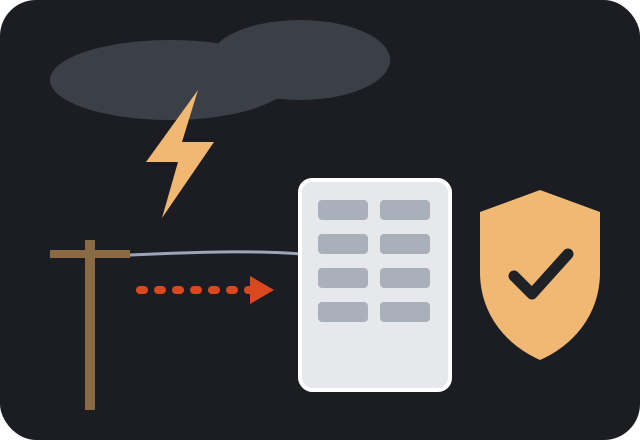
Whole-home surge protective devices use parts that wear out when they absorb surges. After a big lightning event or many smaller surges, the status light goes dark or changes color to show protection is gone.
Surge protector breaker tripped
Most surge protectors are fed by their own two-pole breaker. If it tripped, the light goes out even though the device may be fine.
Breaker trip indicator
Many AFCI, GFCI and dual-function breakers have a small LED that shows the type of fault behind the last trip. It may go dark after a reset or glow until the fault is cleared.
Smart breaker or monitor lost power or signal
Panel monitors and smart breakers need power and a network connection. A tripped feed, loose sensor or Wi-Fi problem can turn their lights off.
Panel-area light has no power
A light fixture over the panel is on a normal circuit; a tripped breaker, burned bulb or bad switch can leave the panel area dark.
Safe checks you can make
- Note whether the light went dark after a storm, a power outage or a lightning strike nearby.
- Check if any breaker in the panel is in the tripped position, including a two-pole breaker near the top.
- Look for scorching or swelling on the surge protector housing, from a safe distance.
- For a panel monitor, see what its app or display reports.
Leave outlet covers, switch plates and the panel cover in place. Noting what you see and hear is enough; testing inside boxes belongs to an electrician.
Is this something you can fix yourself?
Some of these have simple answers. A burned-out bulb over the panel, a tripped breaker feeding the surge protector, or a smart device that just needs its Wi-Fi reconnected are all things you can handle. Resetting a breaker once is fine. What is not a homeowner job is replacing a spent surge protector or a breaker, because both connect directly inside the panel. If a surge protector light stays dark after its breaker is reset, assume it is no longer protecting the house.
When professional help is the right call
- The surge protector light is out after a storm and its breaker is not tripped.
- The surge protector housing looks swollen, cracked or scorched.
- An AFCI or GFCI breaker indicator shows the same fault again after each reset.
- Several panel indicators or monitors went dark at once.
Safety first. A dark indicator light by itself is rarely an emergency. Call right away if the surge protector or panel shows burn marks, smells hot, or is crackling. If there is smoke or sparking at the panel, leave the house and call 911.

What an electrician typically checks
An electrician confirms what the indicator is reporting. For a surge protector, that means checking its breaker, testing the device and, if it is spent, replacing it through surge protection service. They also check the grounding and bonding the device relies on, since a surge protector without a solid ground cannot do much.
For breakers with trip indicators, the electrician reads the code, tracks down the fault on the circuit and replaces the breaker only if it is actually defective. For smart panels and monitors, they confirm sensors and connections are installed correctly inside the panel.
Keeping it from coming back
Central Alabama sees frequent lightning, especially in spring and summer storms, so a whole-home surge protector in Birmingham is likely to take hits over the years. Glance at its status light a few times a year and after big storms. Pair it with plug-in surge strips for sensitive electronics, and read more about whole-home surge protection to understand what it can and cannot stop.