
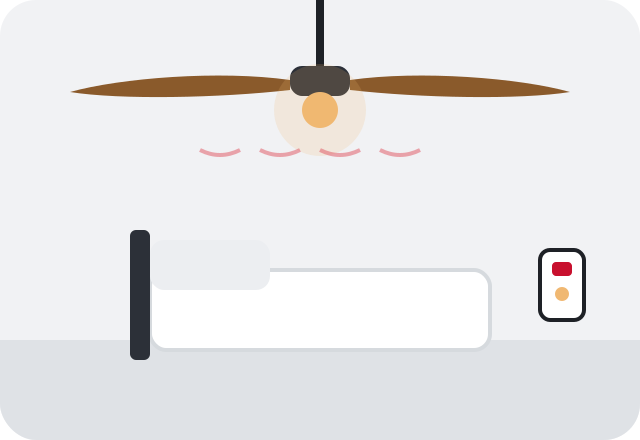
What homeowners usually notice
- The blades wobble visibly, especially on high speed
- The whole fan body sways from the ceiling, not just the blades
- The canopy moves or there is a gap opening up against the ceiling
What to do right now
- Turn the fan to low or off until you know what is causing the wobble
- With the fan off, gently hold the motor housing and check whether it moves at the ceiling
- Tighten blade screws and blade arm screws with the fan off
- If the fan moves at the ceiling or seems loose, stop using it and keep people out from under it
Likely causes
Dust and uneven blade weight
Dust collects unevenly on blades, especially on fans that run constantly, and that small weight difference is enough to cause a wobble.
Loose or warped blades
Blade screws loosen over time, and blades made of pressed wood can warp in humid rooms and porches. Humid Birmingham summers make this more likely.
Bent blade arm
A blade arm bent during cleaning or installation puts one blade at a different angle than the others.
Loose mounting bracket or downrod
If the bracket screws, downrod pin or ball mount are not secure, the whole fan can move at the ceiling.
Box not rated for fans
Fans must hang from an electrical box listed for fan support. Standard light fixture boxes, common in older homes, are not designed for a moving load and can loosen or pull out.
Safe checks you can make
- Watch whether only the blades wobble or the entire fan sways
- Measure each blade tip's distance from the ceiling; they should match
- Check for dust buildup or visible warping on any blade
- Note whether the canopy or mounting has shifted or cracked the ceiling paint
Leave outlet covers, switch plates and the panel cover in place. Noting what you see and hear is enough; testing inside boxes belongs to an electrician.
Is this something you can fix yourself?
If only the blades are wobbling, you can usually fix it yourself. Clean each blade, tighten every blade screw, and check that the tips all sit the same distance from the ceiling. A blade balancing kit, which uses a clip and small adhesive weights to find and correct the light side, solves many remaining wobbles. What you should not do is take down the fan, loosen the canopy to look at the box, or add bracing yourself. If the fan moves at the ceiling, the question is whether the box and bracket can safely hold it, and that involves wiring and ceiling structure.
When professional help is the right call
- The entire fan body moves, not just the blades
- The canopy has shifted or the ceiling around it is cracking
- The fan was hung from an old light fixture box
- Wobble keeps coming back after balancing and cleaning
Safety first. Stop using the fan immediately if it sways at the ceiling, clunks at the mount, or you can see the box moving. A fan that pulls loose can fall and can also strain the wires feeding it. Turn it off at the switch and the breaker, keep people clear of the area below, and have an electrician check the mounting before it runs again.

What an electrician typically checks
The electrician you're connected with will take the canopy down and look at the box, bracket and downrod. If the box is not rated for fan support, they can replace it with a fan-rated box or brace secured to the framing. Loose mounting hardware is tightened or replaced and the connections are checked.
Once the mount is solid, they rehang and balance the fan. In many older Birmingham homes, fans were added in place of original light fixtures without upgrading the box, so this is a common finding. If the fan itself is worn out, it may make more sense to handle it through a new fan installation than a repair.
Keeping it from coming back
Dust fan blades every few weeks during the long cooling season and check blade screws a couple of times a year. Keep fans on porches or in humid rooms rated for damp locations to limit warping. Before replacing a light fixture with a fan, make sure the box is rated for fan support; the ceiling fan installation guide walks through what to look for.